
HEIC → JPEG
Convert phone photos in batches
Queue multiple HEIC or HEIF photos and create widely compatible JPEG copies together.
Batch-convert images, audio, video, and documents on Windows 11 without uploading your files. Every result is a new copy; your originals stay untouched.
Free 7-day trial
Installs through the official Microsoft Store · Windows 11 · x64 and ARM64
By Fuzzysense
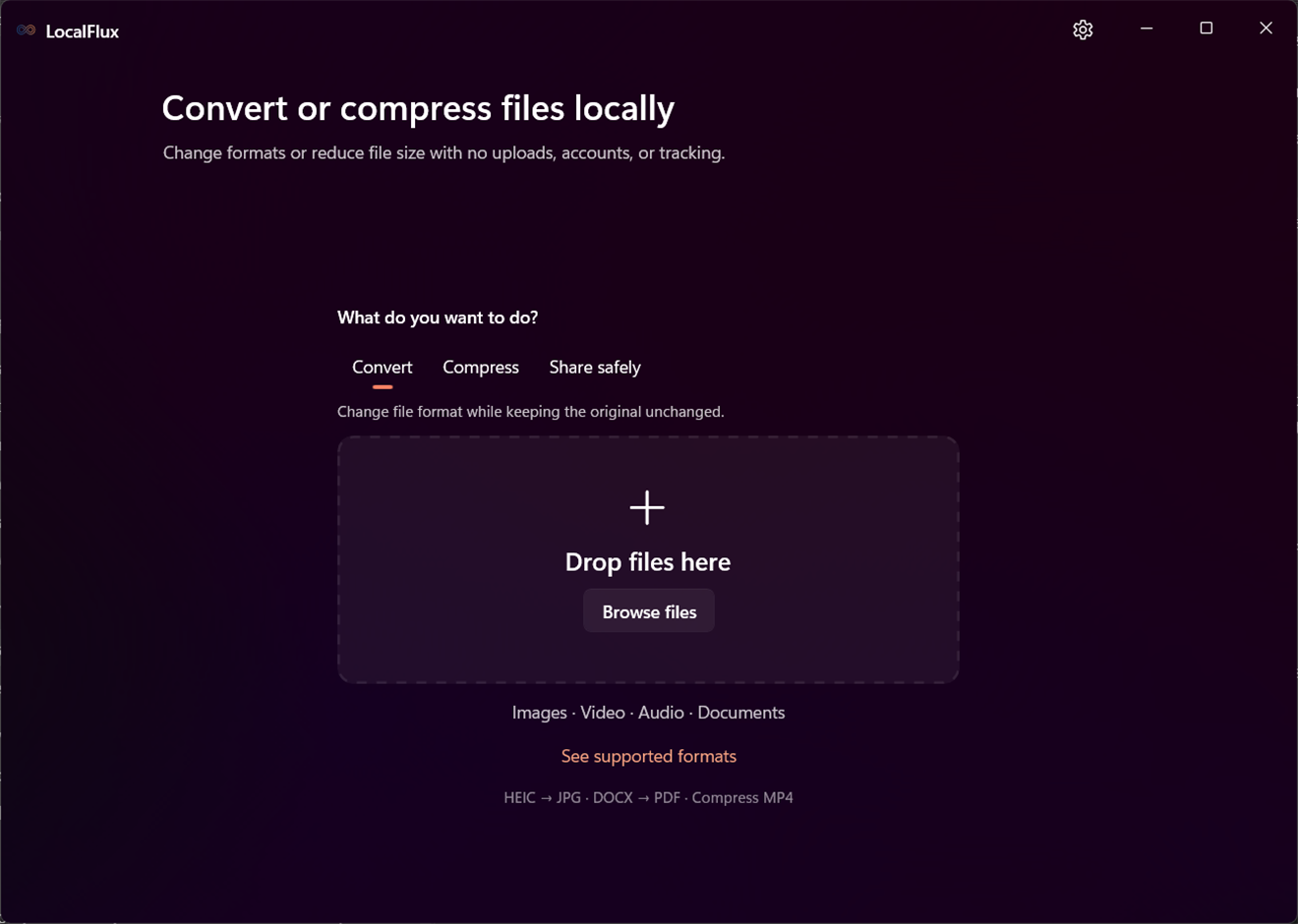
Pick what you need, add your files, and get a new copy on your PC.
HEIC → JPEG
Queue multiple HEIC or HEIF photos and create widely compatible JPEG copies together.
Video → target size
Use practical compression presets or a maximum-size goal while keeping the original file intact.
Office → PDF
Turn supported Office, OpenDocument, text, or Markdown files into local PDF copies.
Image → metadata-reduced copy
Create JPG, PNG, or WebP copies without supported location, device, author, and date metadata.
Right-click supported files and choose a LocalFlux action. The app opens with those files ready for review.
Pick the result you need, add your files, and create fresh copies on your PC.
Drag files into LocalFlux or choose them from your PC.
Pick a supported format or compression result and review the applicable settings.
Start the job, then open the completed copy or its folder. Your original remains unchanged.
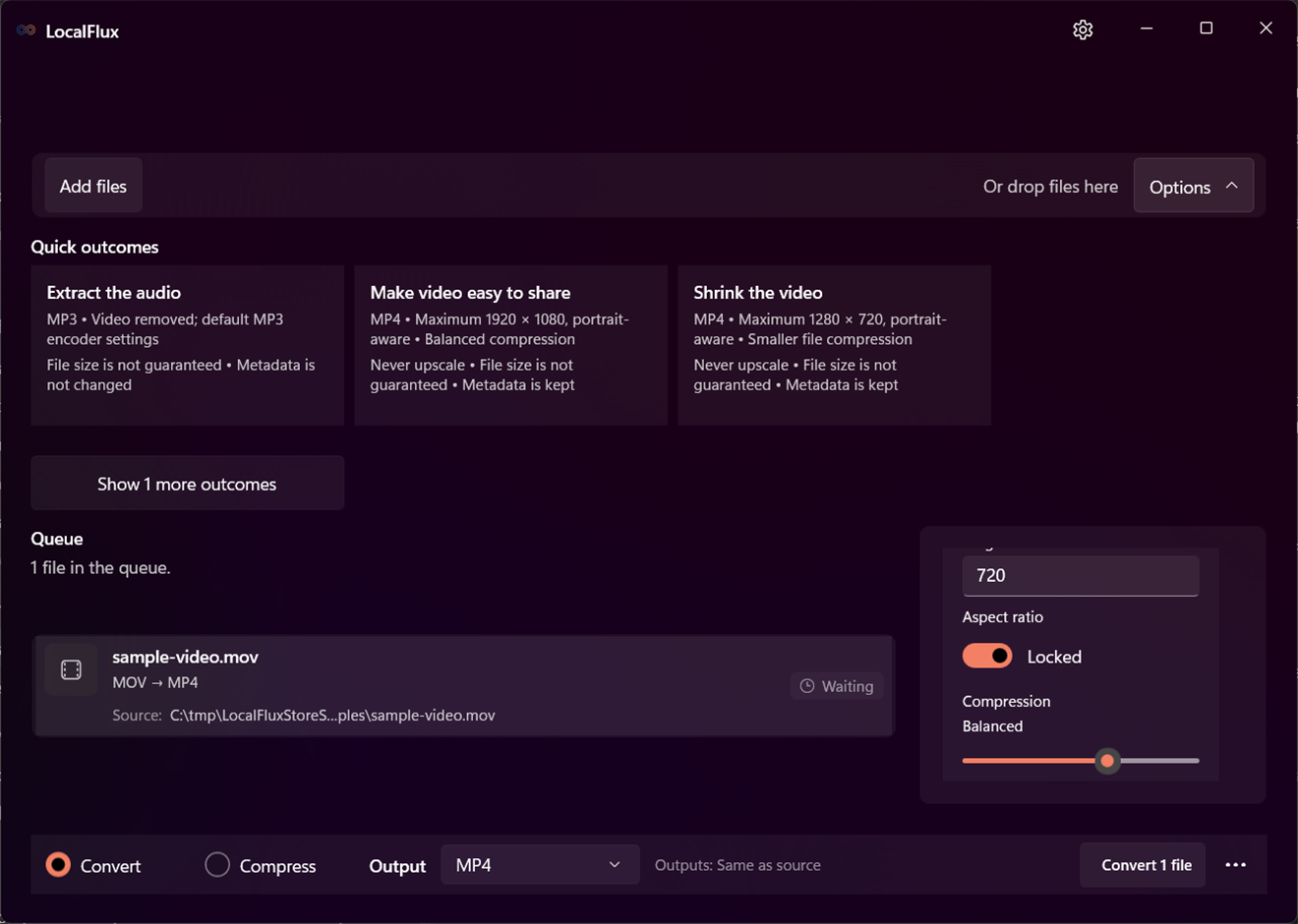
Keep work documents, client videos, and personal photos off conversion websites. LocalFlux processes files on your PC after installation, with no account required.
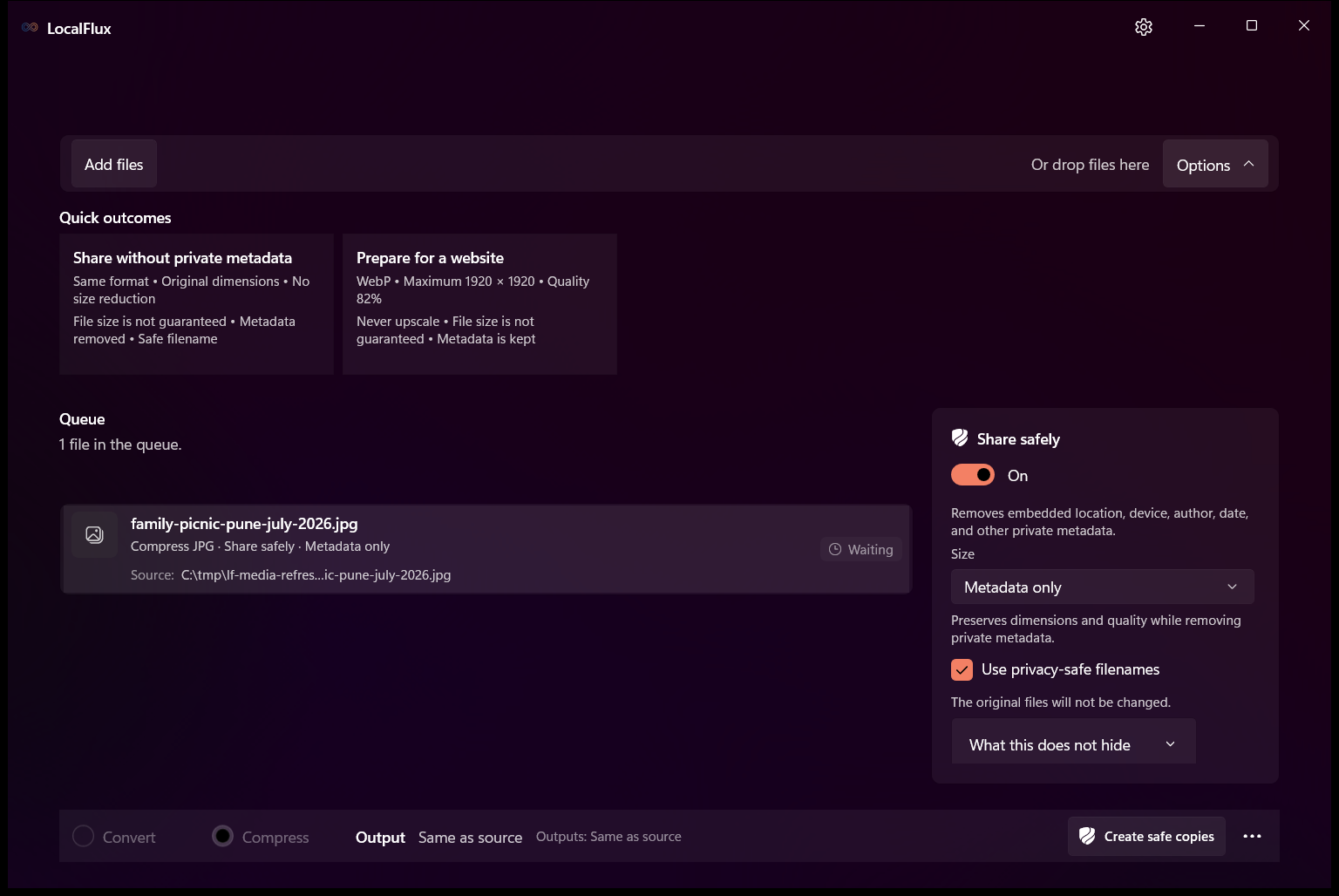
Supported conversions run on your Windows PC after Microsoft Store setup.
LocalFlux writes each result as a new file. A new name is used if a file already exists.
Share safely can create supported JPG, PNG, or WebP copies with supported location, device, author, and date metadata removed.
Compare the original and finished file sizes at a glance when compression completes.
Measured with one synthetic 1080p test video using Balanced. Results vary by file and preset.
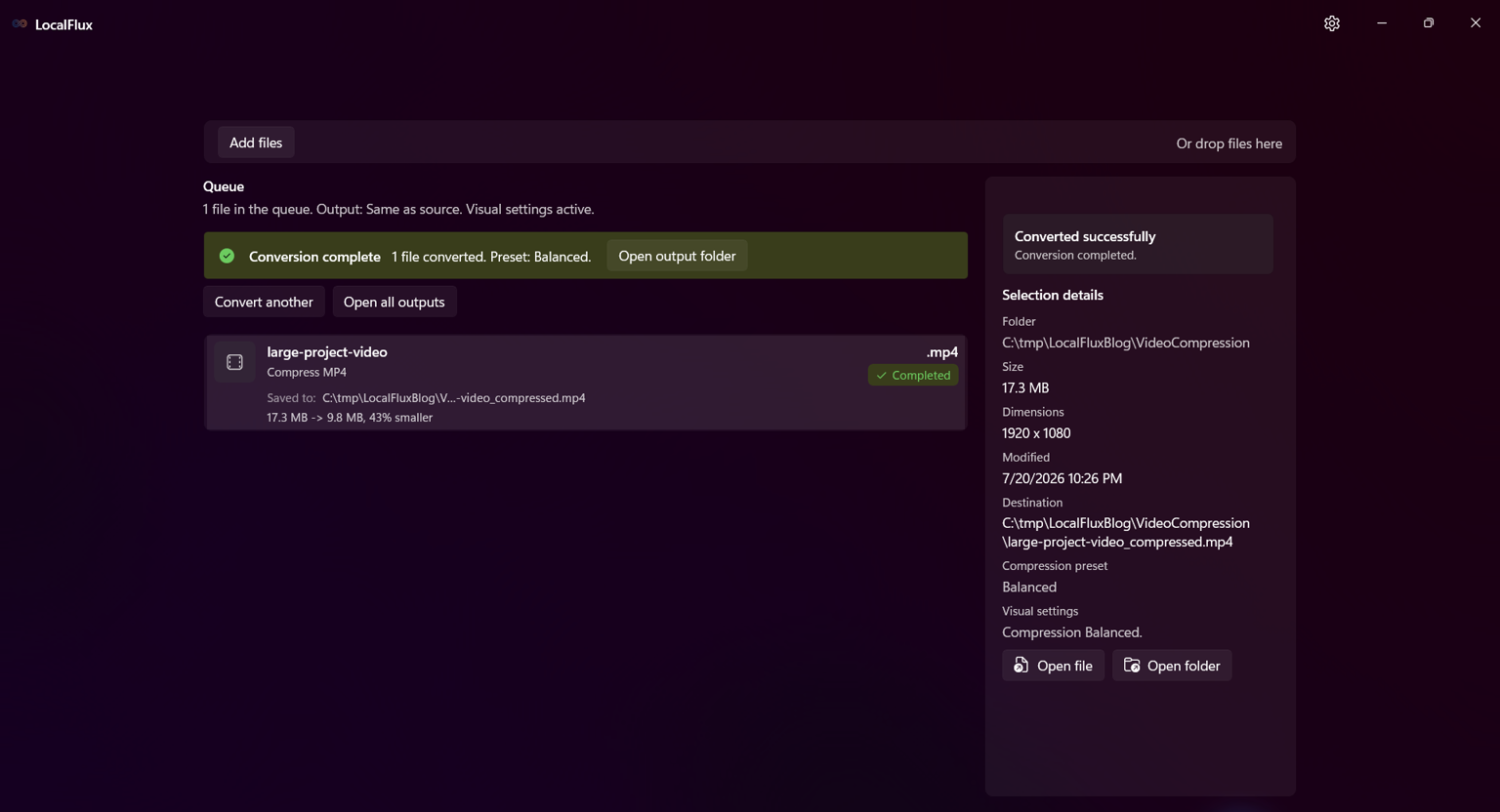
Try the full Windows app for 7 days. Keep it with one purchase if it earns a place in your workflow.
Free 7-day trial
US$
Prices vary by region. Your local price is shown in Microsoft Store.
Start free trialNo. Supported conversions run locally on your Windows PC without uploading the source files to LocalFlux.
No. It writes converted, compressed, and metadata-reduced sharing copies as new files. A new name is used if a file already exists.
The dedicated format finder lists every current source, output, same-format compression, and verified lossless-optimization route.
Open the supported format finderNo fixed result is guaranteed. Source content and settings matter, and LocalFlux reports the measured output instead of inventing a saving.
Internet is needed for Store setup. After that, supported conversions can run offline.
The Microsoft Store provides the free 7 day trial and shows the one time purchase price for your region. There is no subscription.
Start with the Microsoft Store trial, or check your source and output formats before installing.
Free 7-day trial
US$
Prices vary by region. Your local price is shown in Microsoft Store.